“I studied for three hours.” And solved how many problems?
With Prestanda
Every problem is recorded: how long it took, and whether you got it right.
iPhone · iPad · Apple Watch
Study timers count your hours. Prestanda times every problem, shows how your speed and accuracy change, and brings back the ones you missed.
Coming soon to the App Store
One practice journal. Every screen.
iPhone · iPad · Apple Watch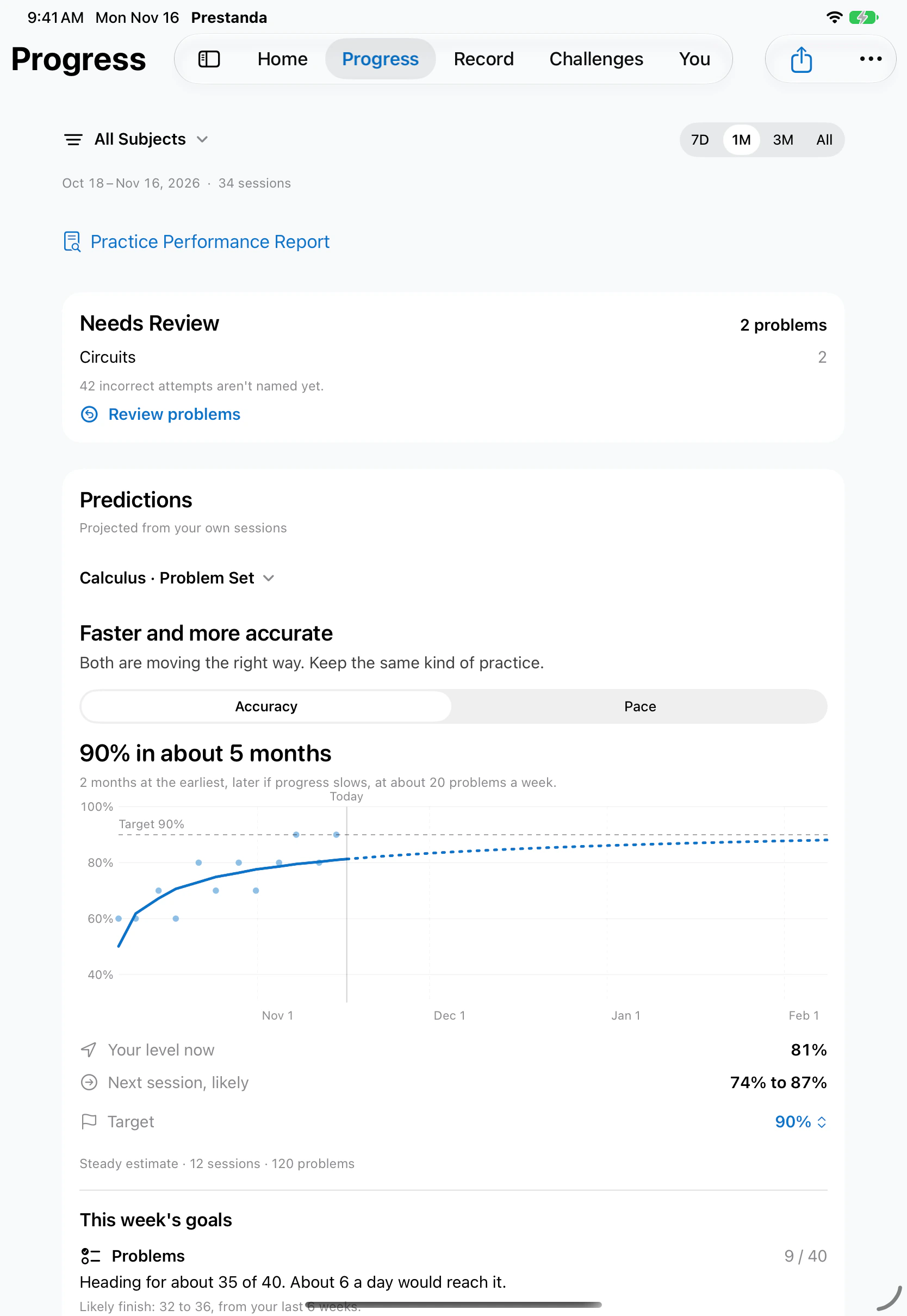
You put in the hours. But are you getting *faster*? More *accurate*? Which problems keep beating you? A timer can't answer that. *Prestanda* *can.*
Why Prestanda
Four things every student who works through problem sets runs into, and what Prestanda does about each.
“I studied for three hours.” And solved how many problems?
With Prestanda
Every problem is recorded: how long it took, and whether you got it right.
You mark a problem wrong and never see it again.
With Prestanda
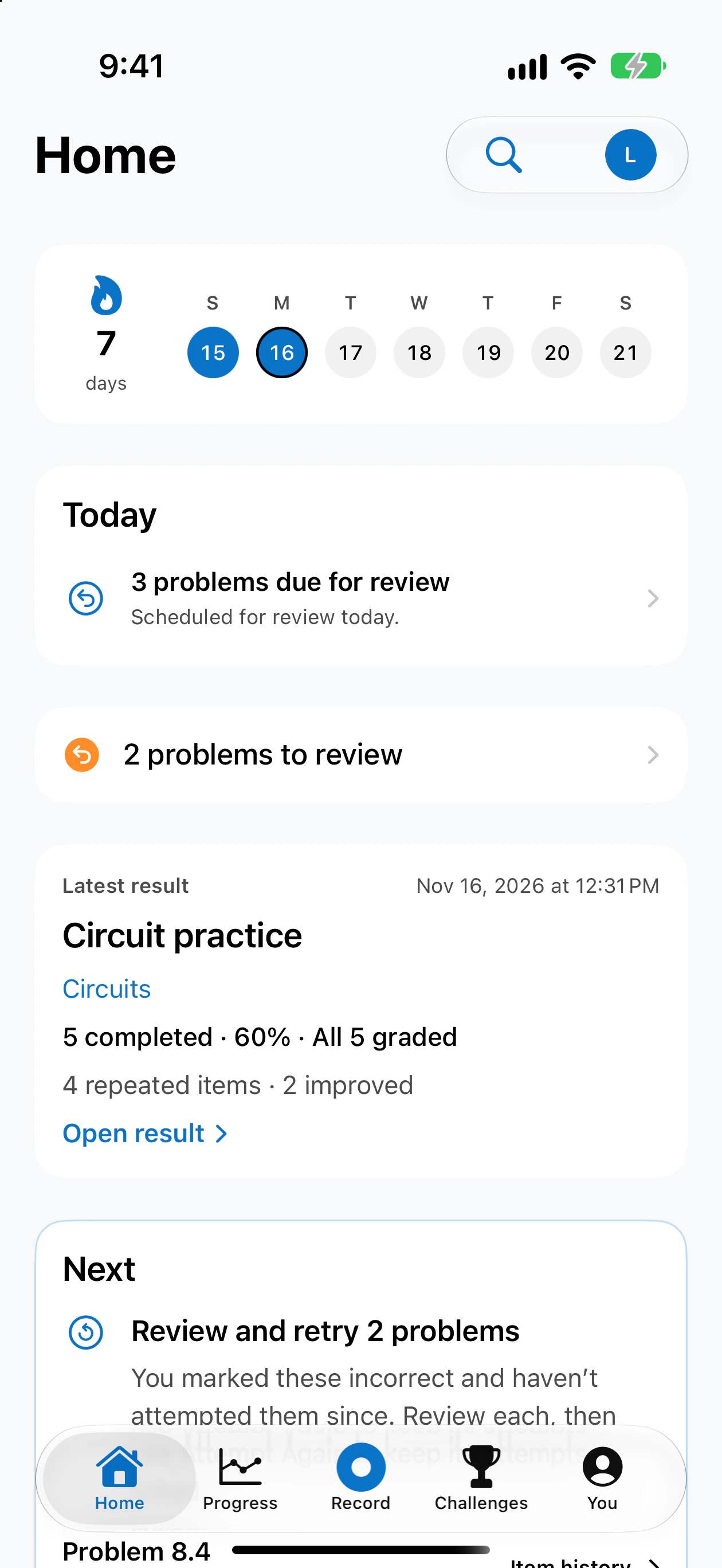
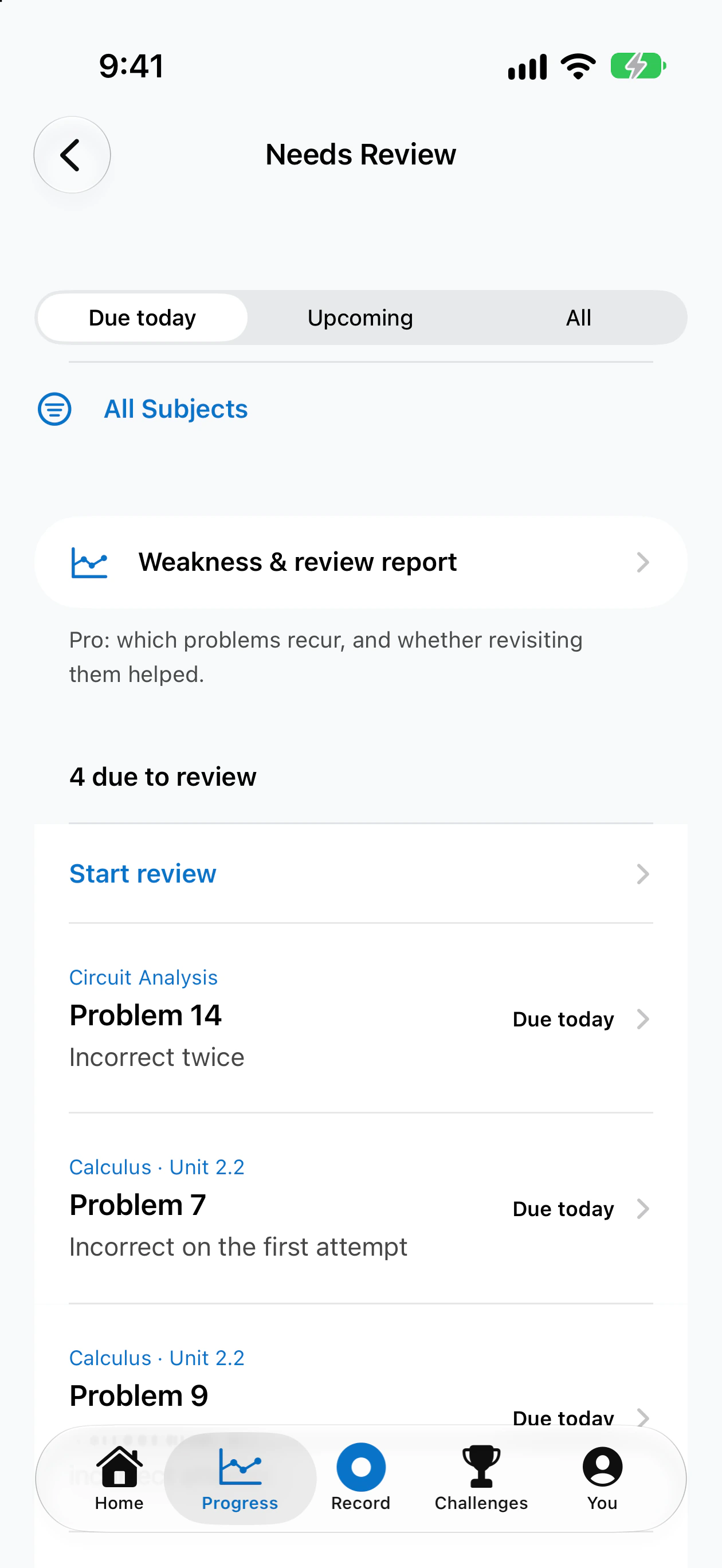
Needs Review keeps every miss and brings it back for another attempt.
“Am I getting better?” is a feeling, not a fact.
With Prestanda
Sessions are compared with earlier work of the same kind, and you see what each comparison is based on.
Reaching for your phone breaks your focus mid-problem.
With Prestanda
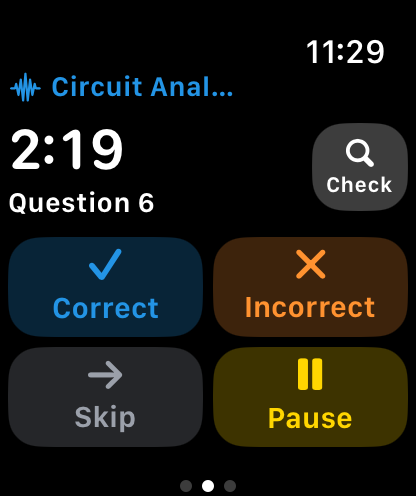
Tap your Apple Watch as each problem ends. Your phone stays face down.
Record
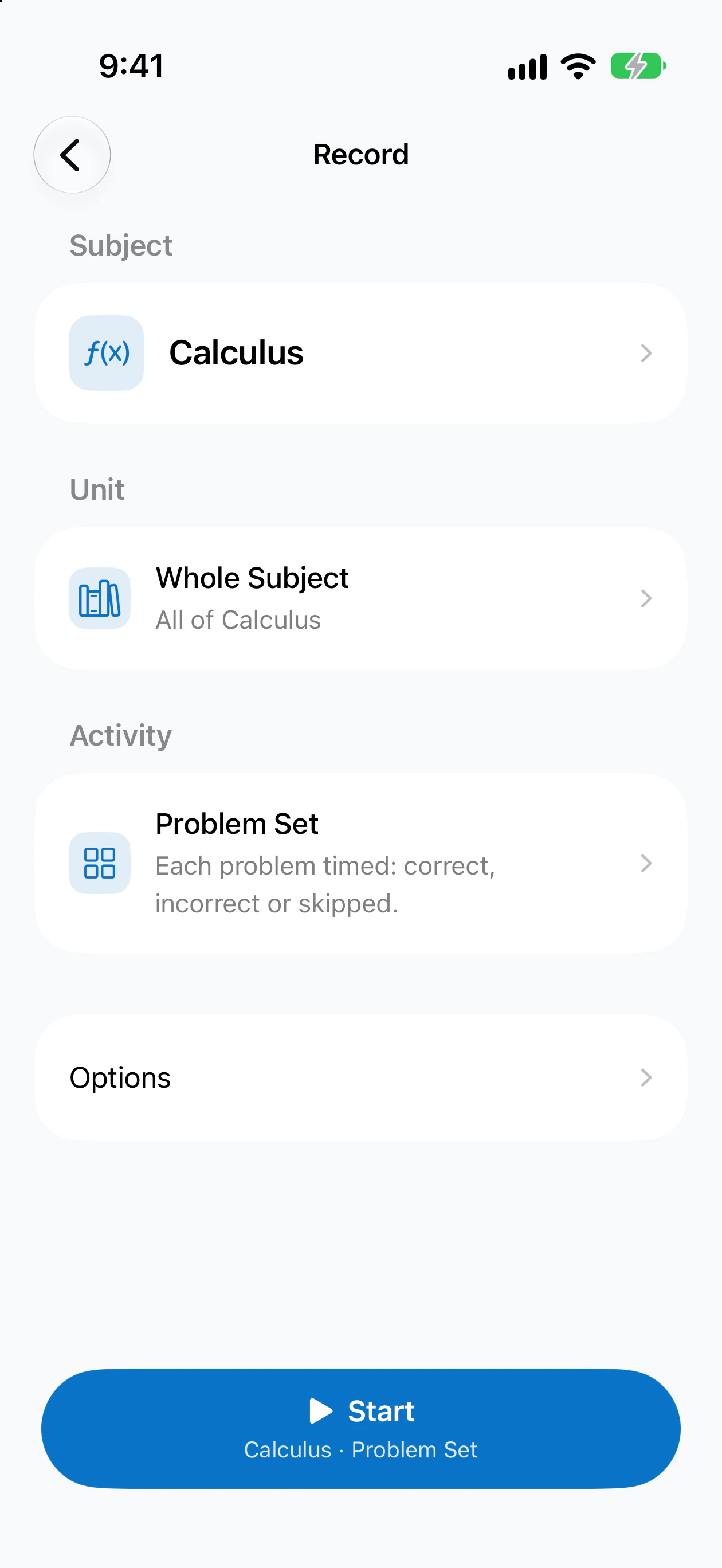
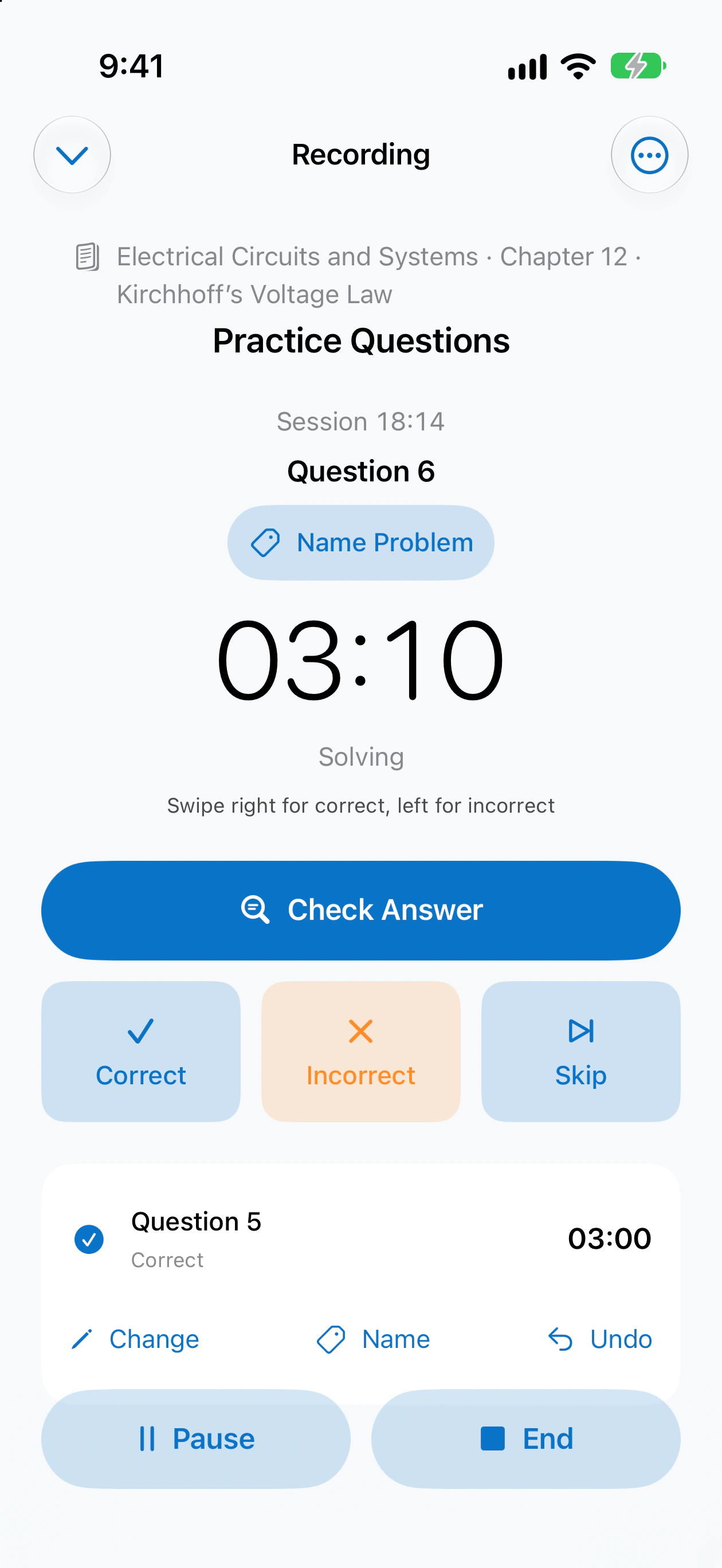
Choose what you're studying and the kind of practice. Repeating your last setup takes three taps.
Correct, Incorrect or Skip. The timer splits on its own, so every problem gets its own time.
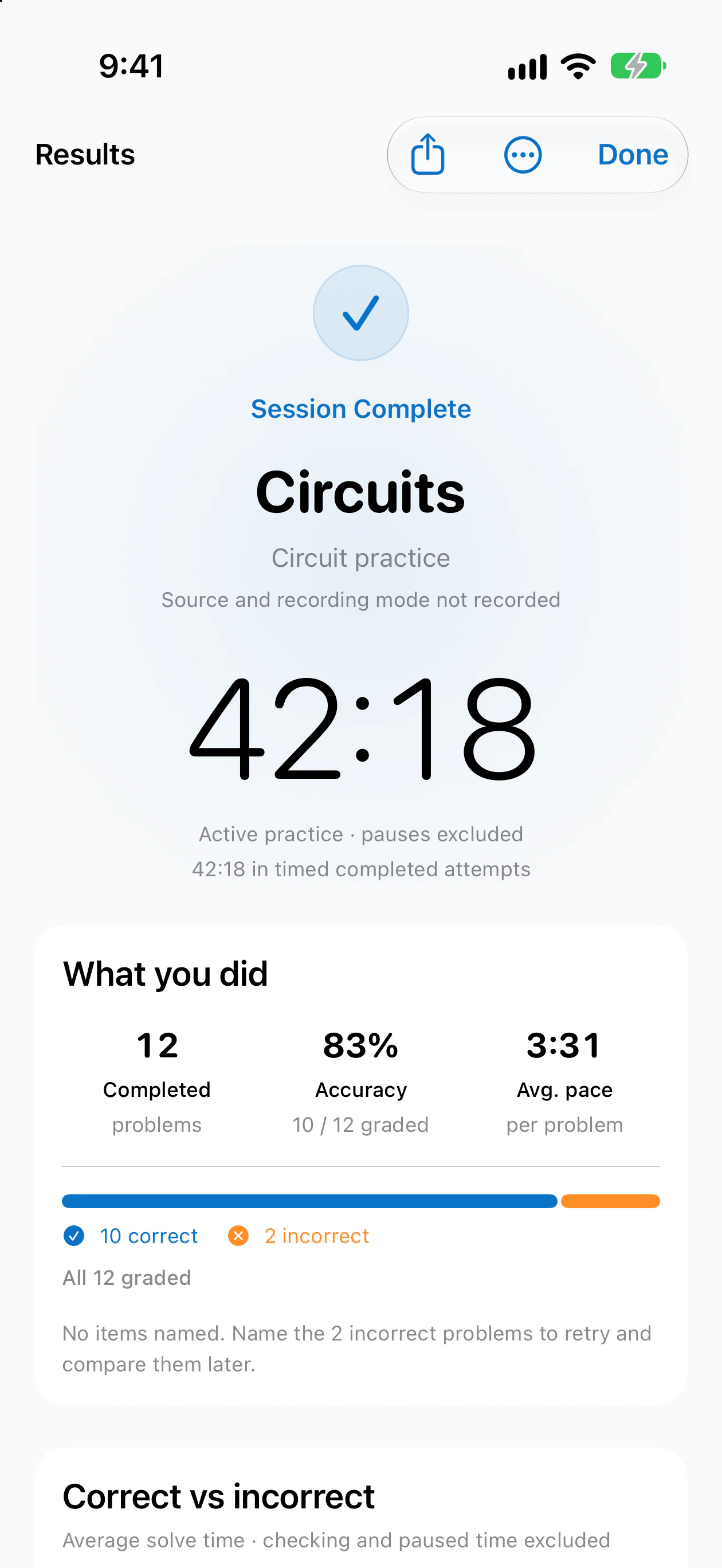
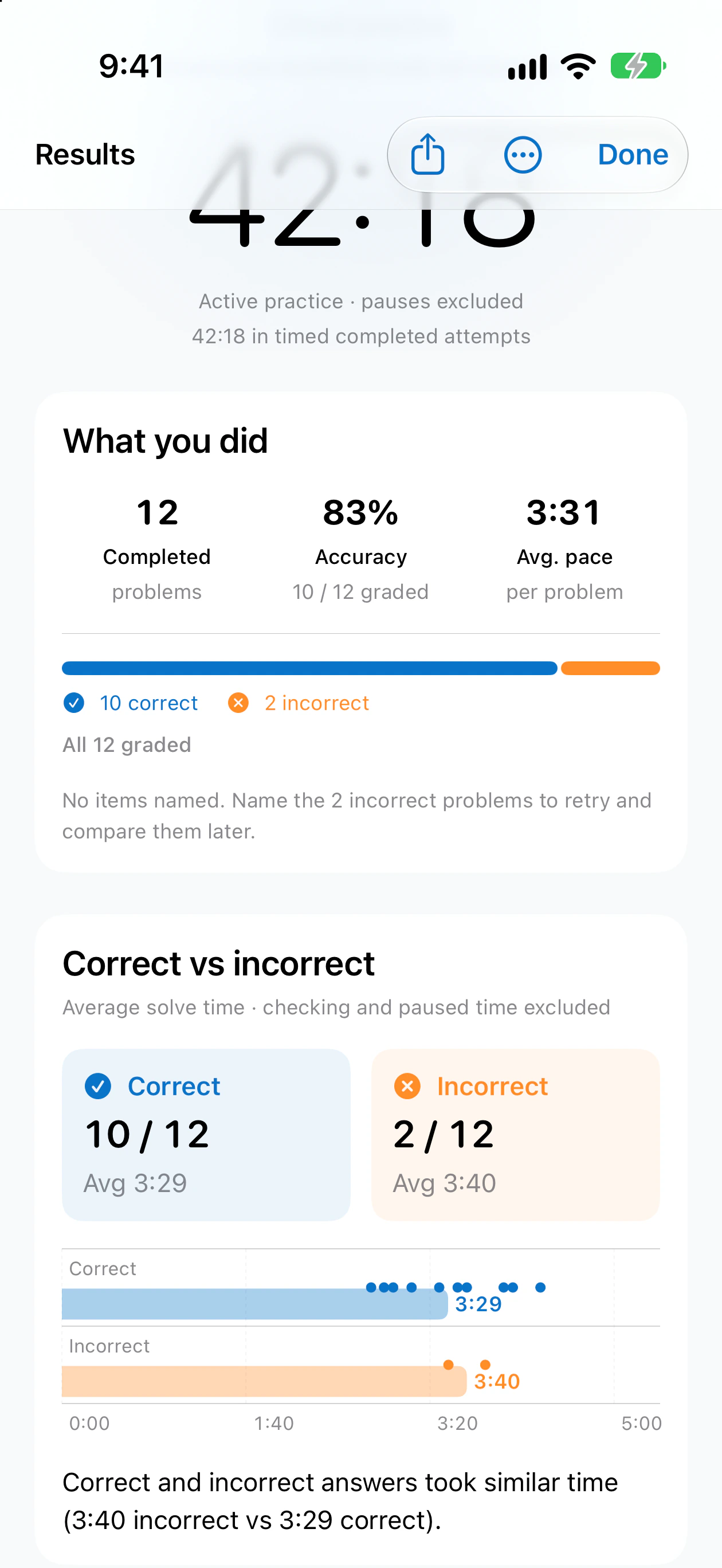
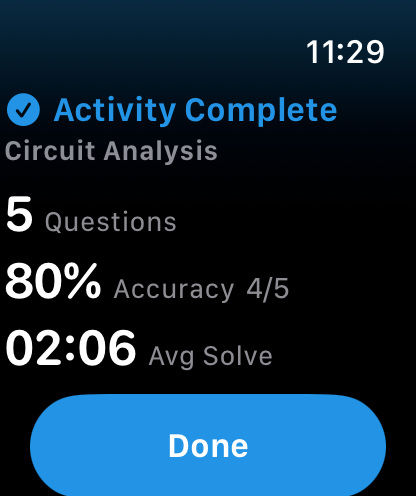
Problems completed, accuracy out of what you graded, and your time per problem, saved the moment you finish.
Results
Every session ends with what you actually did. No vague scores, and nothing rounded in your favour.
Progress
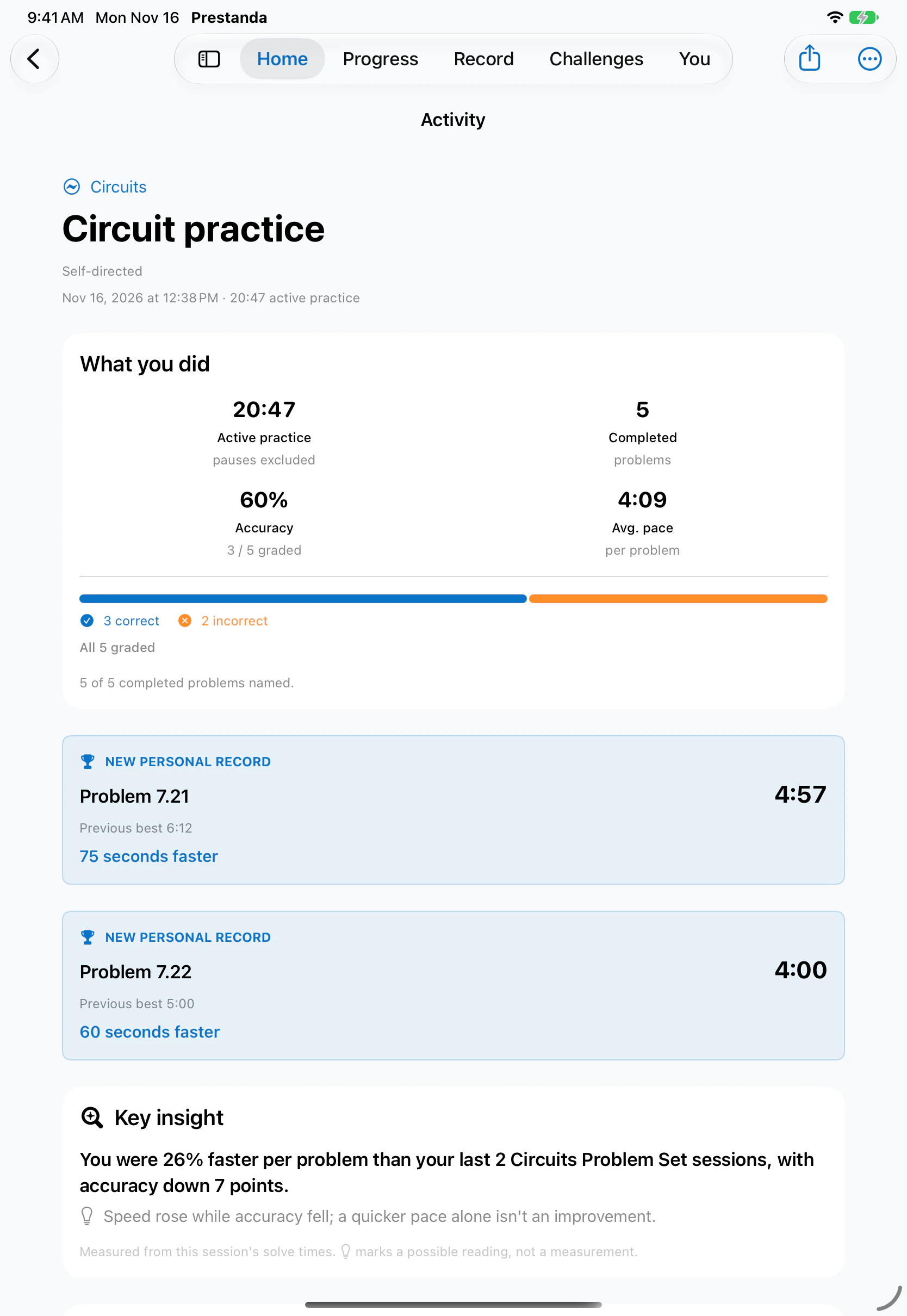
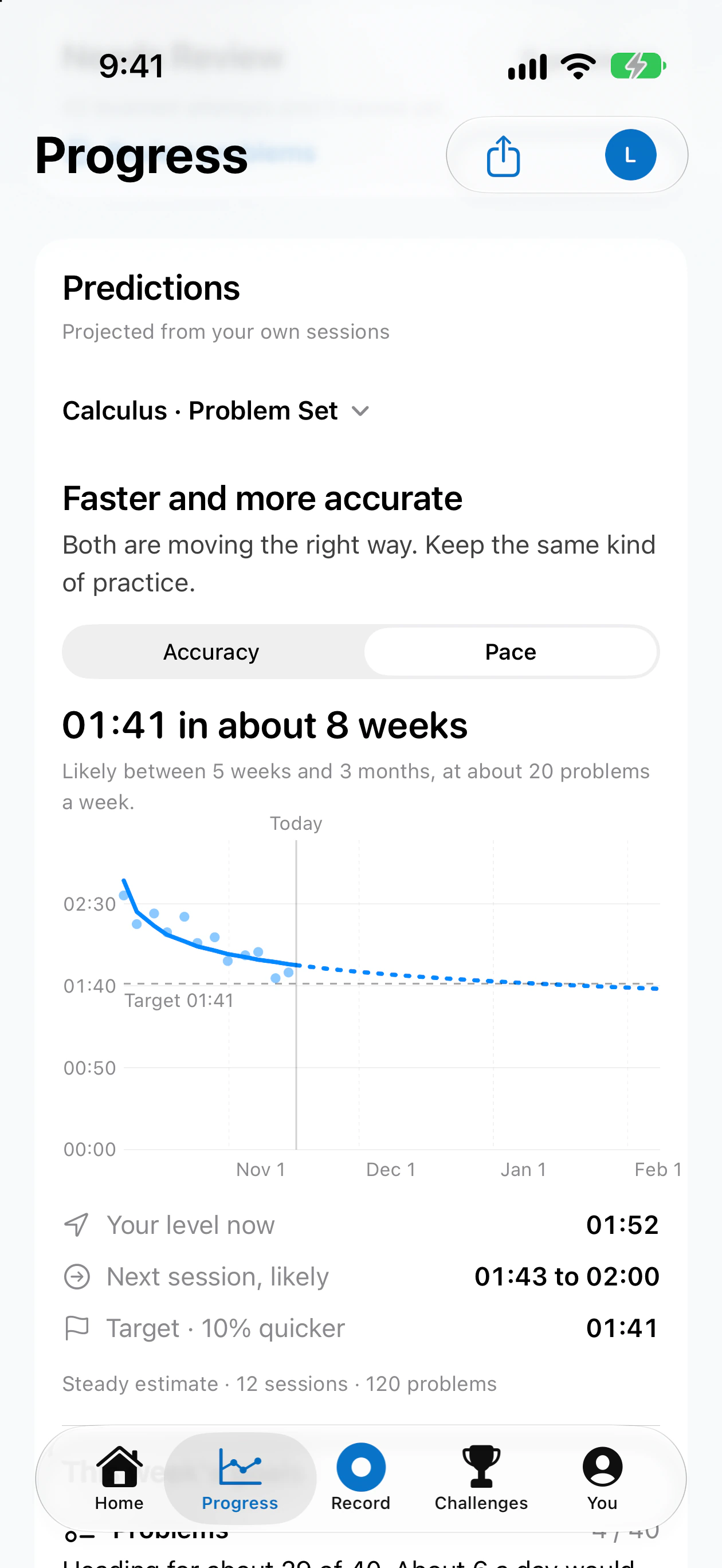
Every session is compared with your earlier work of the same kind. New personal records, what changed, and an honest read on why, all on one page. On iPad, there's room for all of it.
Needs Review
Prestanda keeps every problem you got wrong and brings it back for another attempt, so your next session starts where it matters.
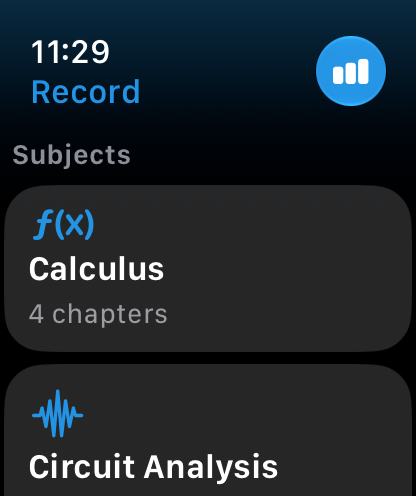
Apple Watch
Start a session, tap after each problem and end it, all from Apple Watch. Everything lands on your iPhone.
Built in
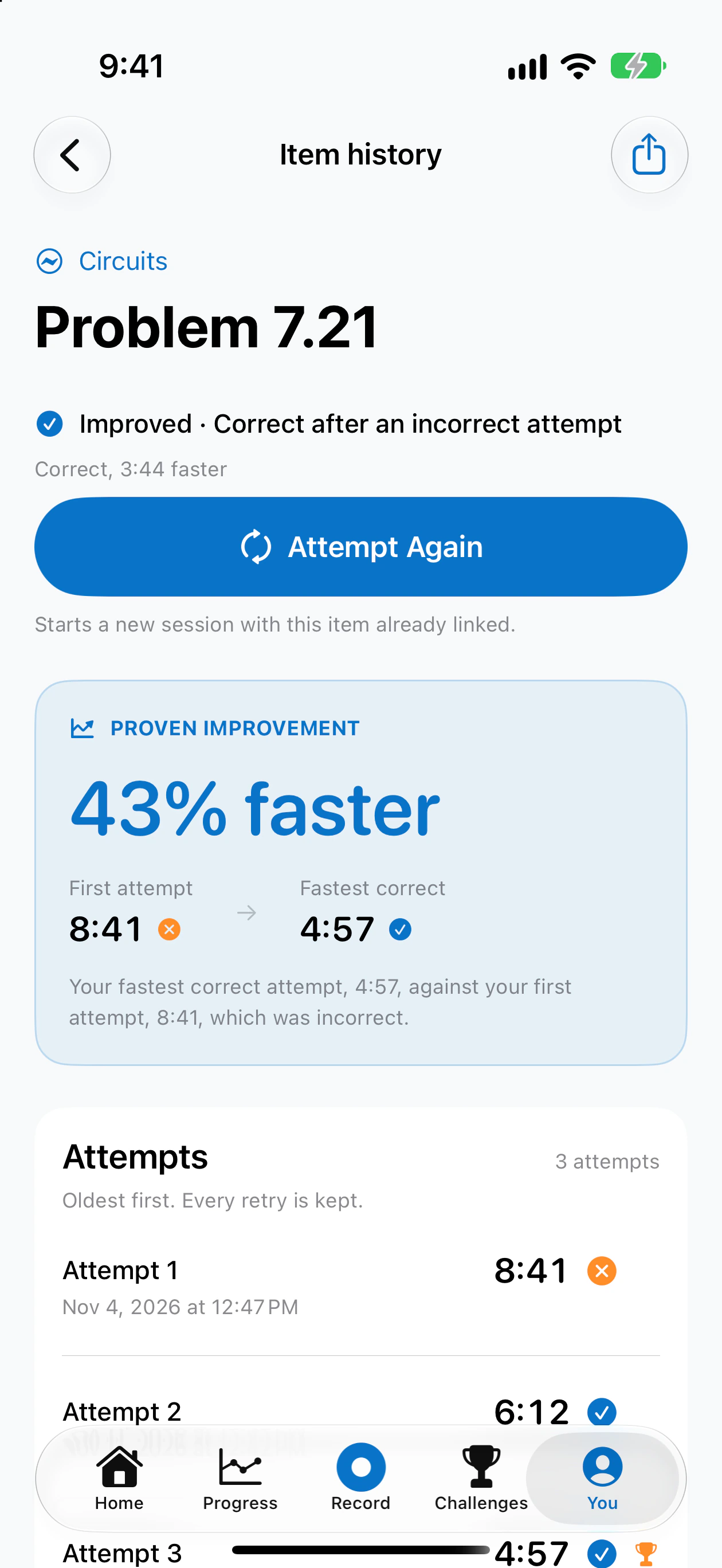
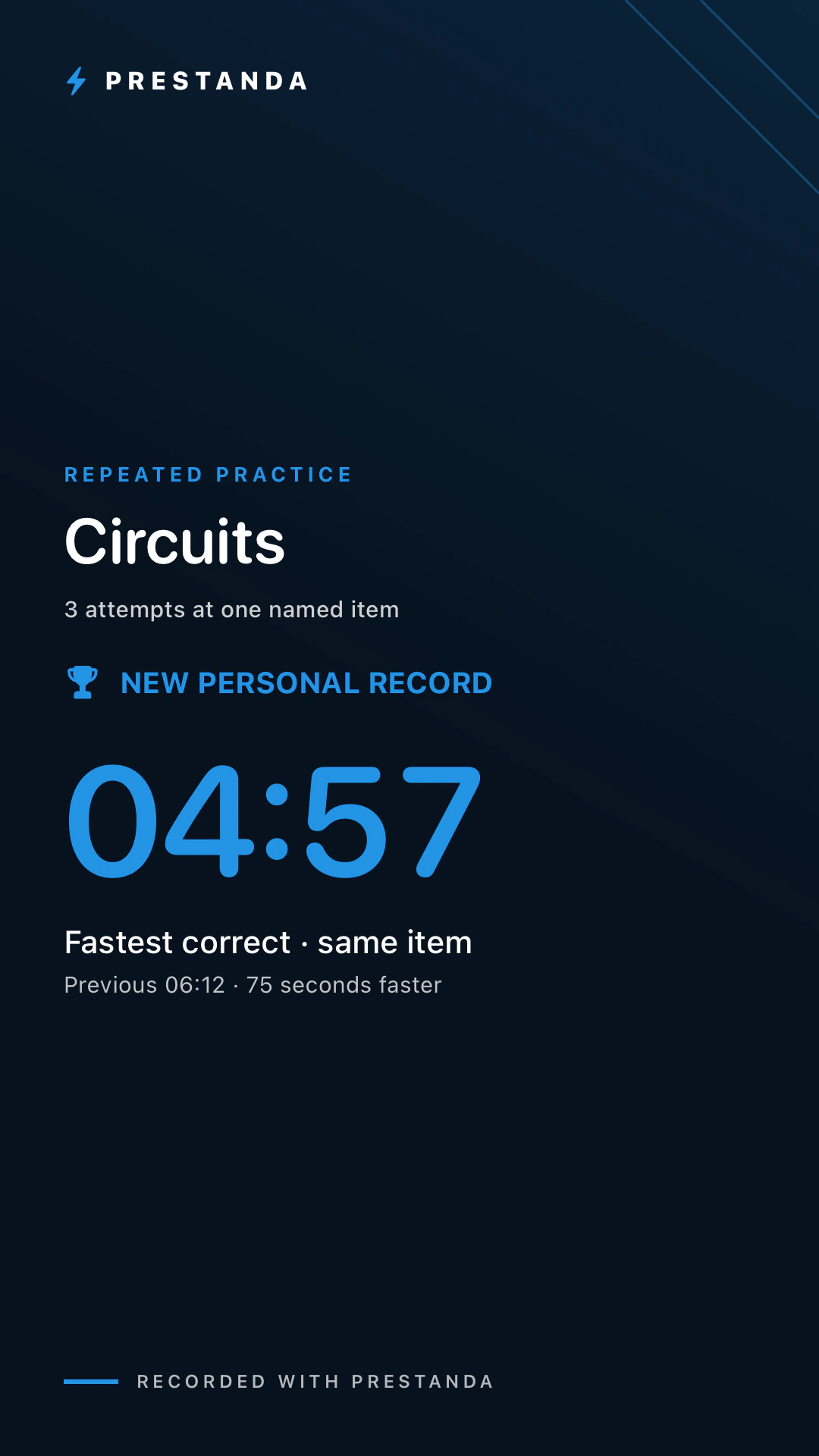
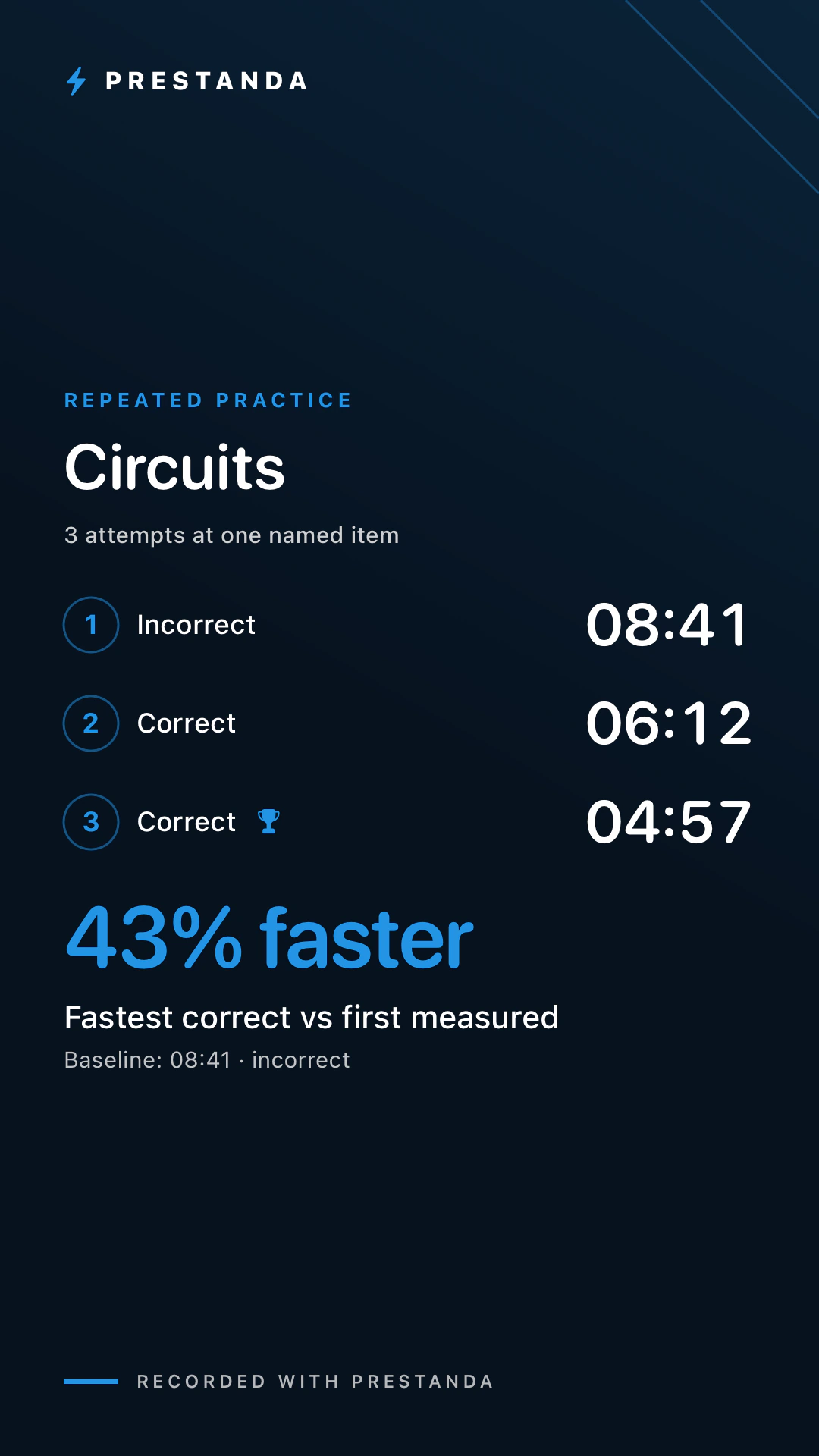
Every problem you repeat is measured against your first try, so you see exactly how much faster you've become.
Turn a result into a clean card that shows the claim together with its evidence.
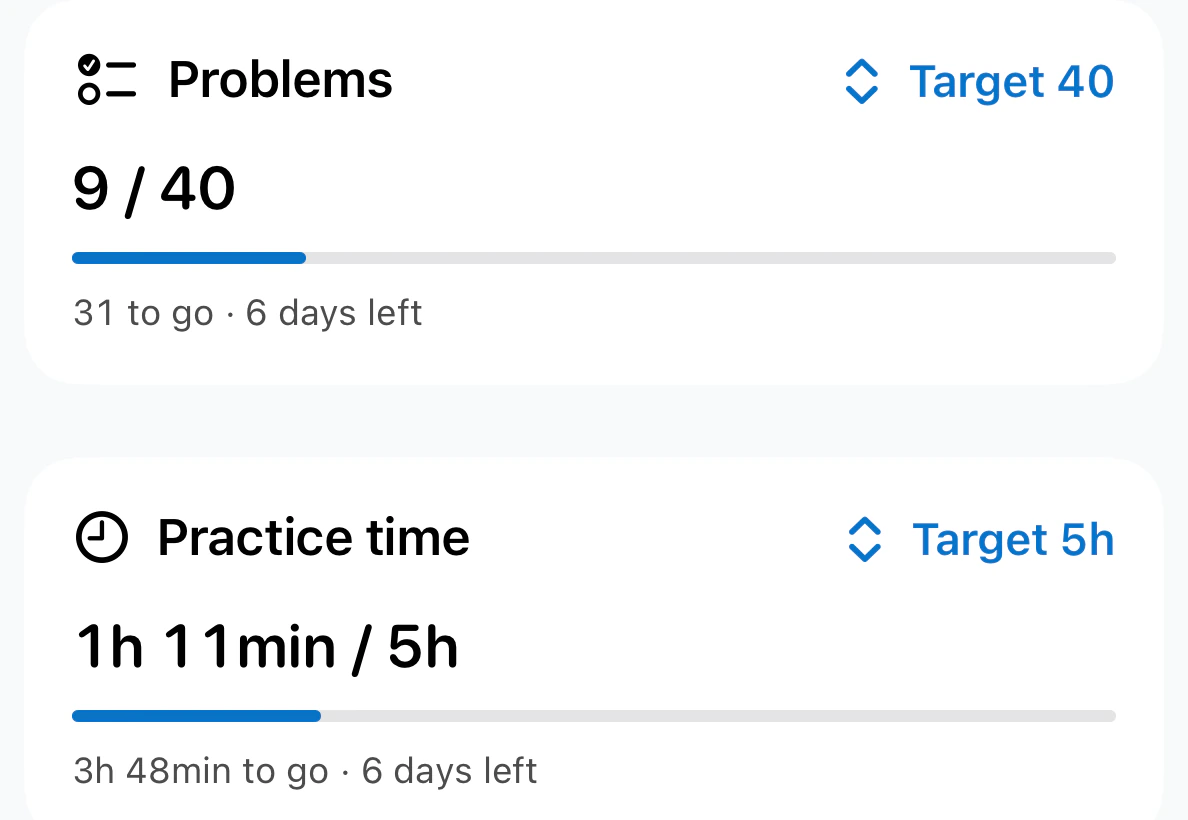
Set a weekly target for problems or time and keep your practice days going.
Reading or reviewing notes? Record the time without counting problems.
Optional sync across your devices, in your own private iCloud.
Designed for both, and for the largest text sizes.
Prestanda Pro
Recording, your full history, goals, records and sharing are free, with no limits. Pro adds the deeper read on your practice.
| What you get | Free | Pro |
|---|---|---|
| Unlimited recording and history | ||
| Goals, streaks, records, share cards | ||
| Apple Watch recording | ||
| Progress charts for the last week and month | ||
| Predictions for your accuracy, pace and week | ||
| Trends beyond the last month | ||
| Deeper analysis of each session | ||
| Weak-spot and first-try vs retry reports |
Pro starts with a free trial. Prices in US dollars and may vary by region. Predictions are estimates from your own history, shown as ranges, never promises.
Privacy
Open the app and start. There's nothing to sign up for.
Prestanda has no advertising and doesn't follow you across apps.
Your history lives on your devices. Turn on iCloud and it syncs through your own private iCloud.

Prestanda is coming soon to the App Store for iPhone, iPad and Apple Watch.
Get early accessFree to use · Prestanda Pro optional